

iProtect 1217 — Multi-Band RF & Wireless Signal Detector / Selective Band Analysis & GPS Tracker Detection

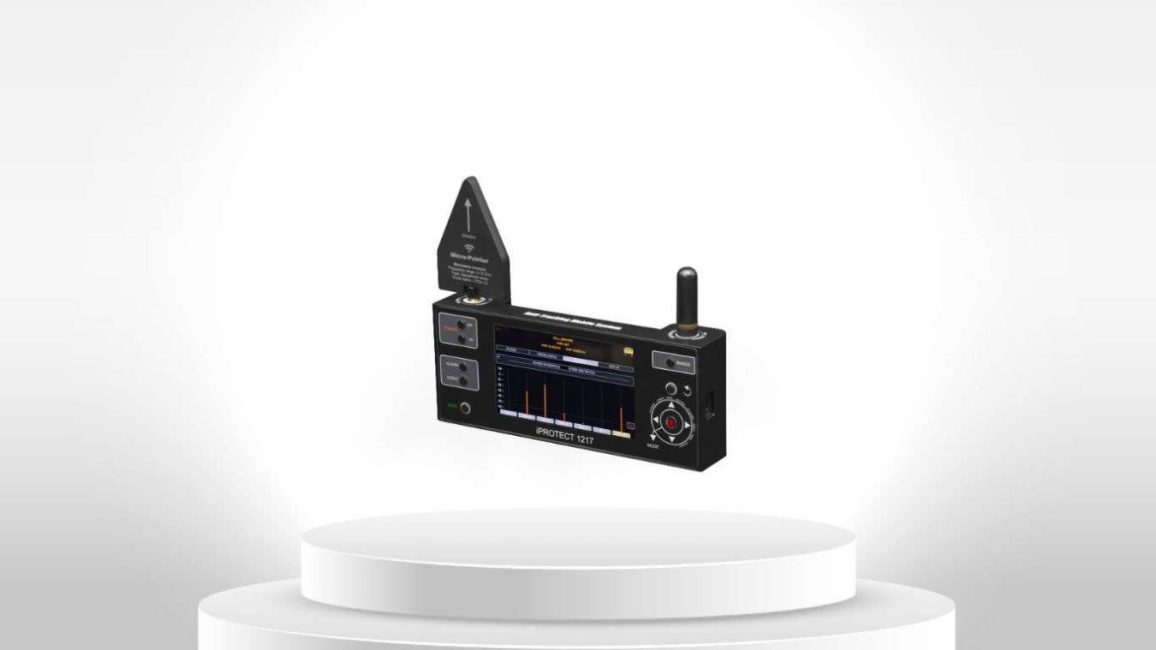
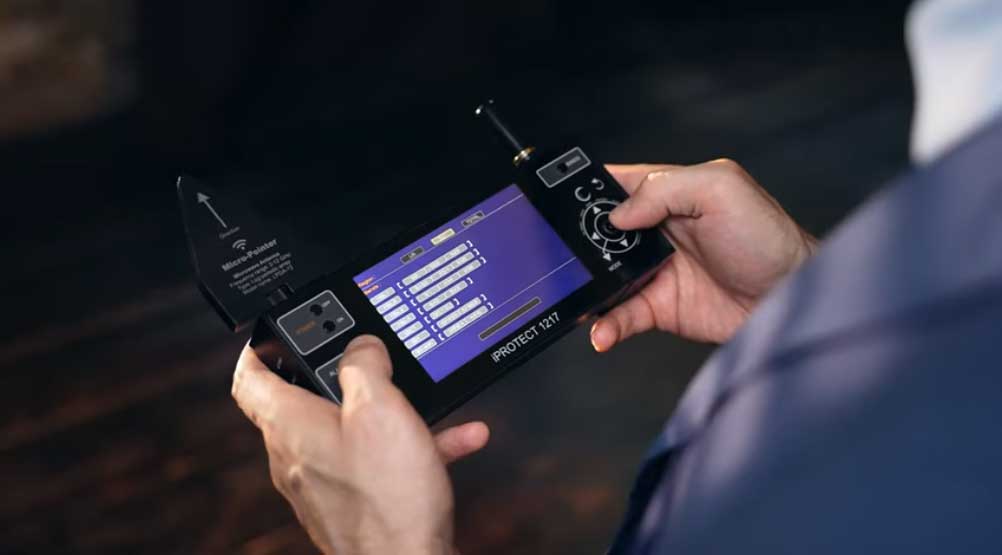
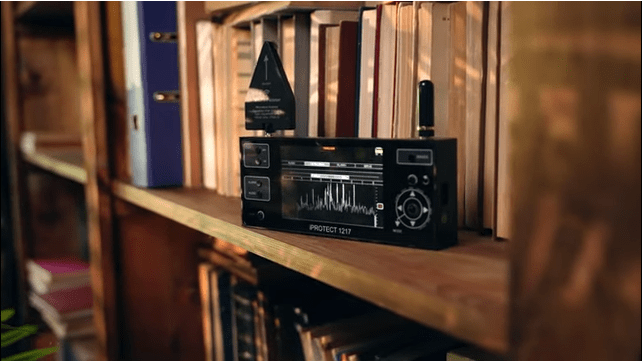
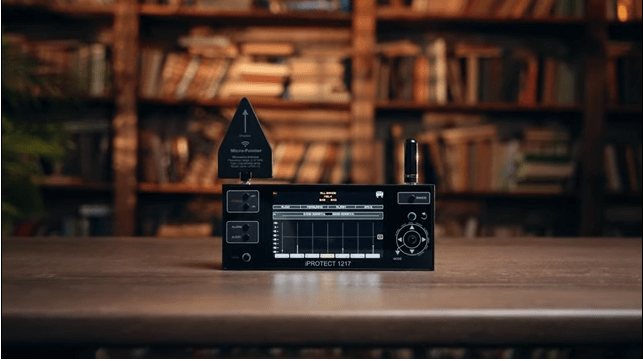
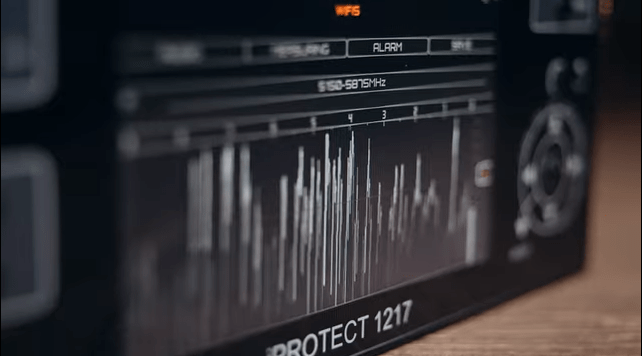
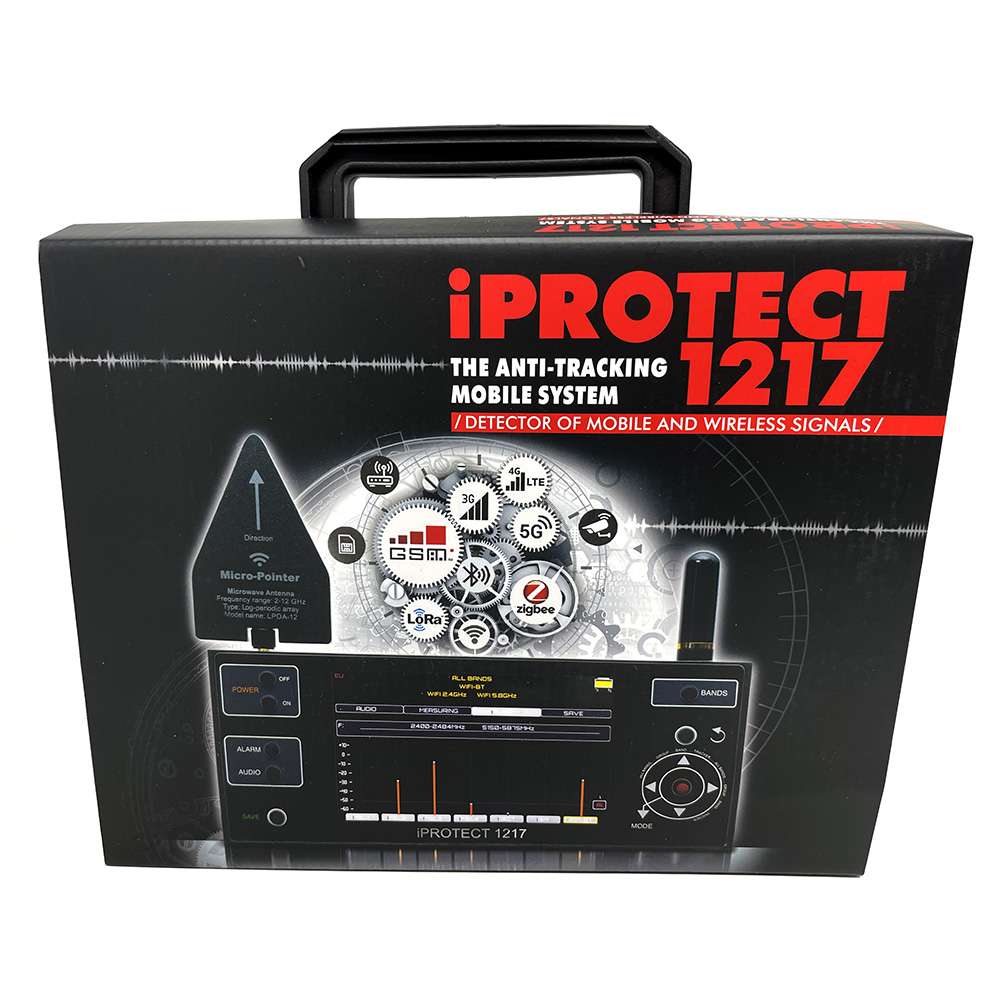
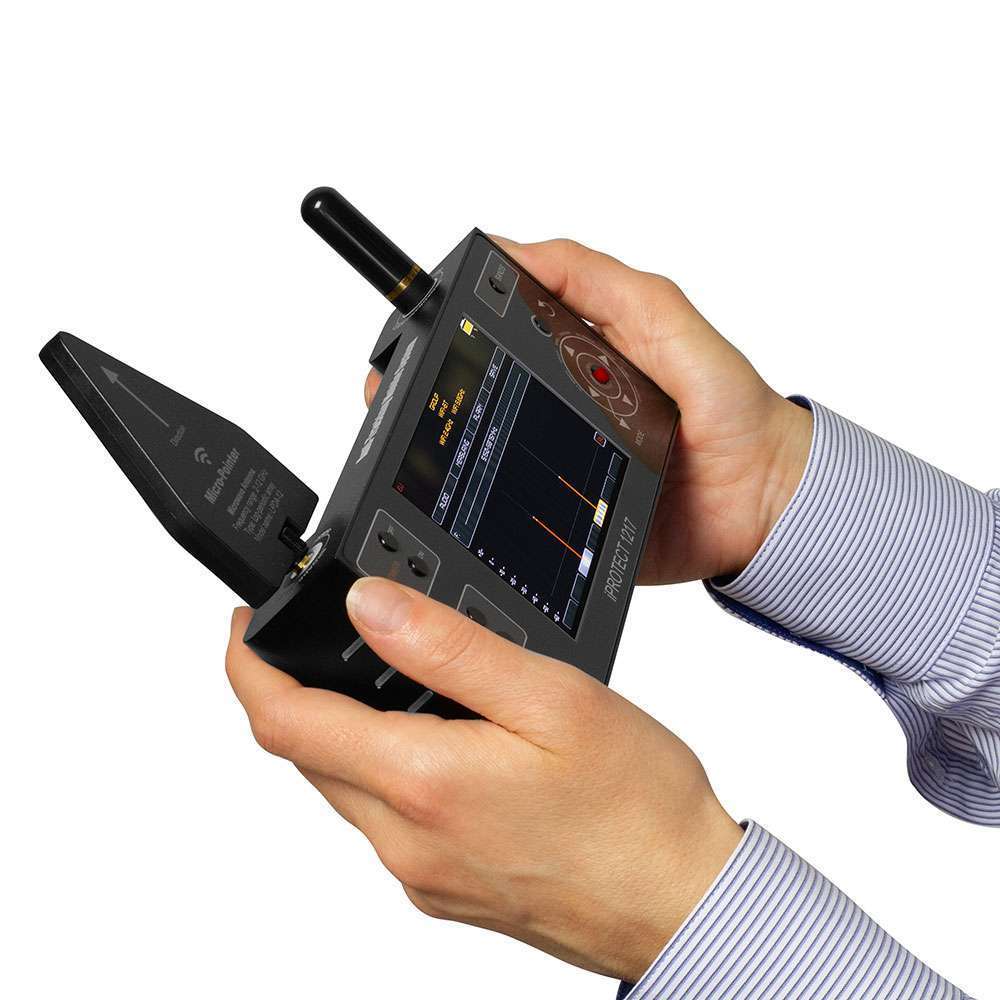
iProtect 1217 is a professional multi-band RF detection tool for TSCM sweeps, wireless signal investigation and GPS tracker detection. With 26+ supported bands, 4 inspection modes and 43 adjustable sensitivity levels, it helps users move from broad signal detection to focused investigation of suspicious wireless activity.

For example, you can start with a broad scan in a hotel room or office, narrow down an unusual wireless signal to a specific band, or use TRACKER Mode when checking a vehicle for GPS tracking activity.

Detect → Narrow → Analyze → Investigate

Quantity

$3,850

“Secure Payment via Stripe — supporting Bank Transfer, Credit Card, and International Invoice. Trusted by global law enforcement, military, and corporate clients, Archthetic ensures safe transactions and reliable worldwide delivery.”

Your Story, Our Spotlight : Free Marketing with Us

At Archthetic, we're turning the spotlight on you! Unlock the power of your story – purchase any of our state-of-the-art surveillance products and get a FREE feature on our platform.

Description

iProtect 1217 — Multi-Band RF & Wireless Signal Detector with Selective Band Analysis and GPS Tracker Detection

The iProtect 1217 is a professional multi-channel wireless and RF detection system designed for TSCM sweeps, counter-surveillance inspections and wireless signal investigation.

Rather than simply showing that RF activity is present, iProtect 1217 allows the operator to move from broad-spectrum searching to selective band analysis and tracker-focused detection through four dedicated operating modes.

With support for more than 26 mobile and wireless frequency bands, adjustable regional band allocation, 43 sensitivity levels, dual-antenna operation and a dedicated TRACKER mode, the iProtect 1217 provides a practical way to investigate wireless activity across different environments and countries.

Detect → Narrow → Analyze → Locate

Why iProtect 1217 Is Different

Wireless environments are rarely quiet.

Mobile networks, Wi-Fi, Bluetooth and other wireless devices can create a constant background of legitimate RF activity. The challenge during a TSCM inspection is therefore not simply finding a signal — it is isolating the activity that deserves closer investigation.

iProtect 1217 is designed around that process.

Its four operating modes allow the operator to progressively narrow an inspection:

ALL BANDS → GROUP → BAND → TRACKER

This makes the device useful for both initial RF searching and more focused signal investigation, rather than functioning as a simple signal-presence alarm.

26+ Mobile & Wireless Bands

iProtect 1217 supports detection across more than 26 mobile and wireless bands, covering technologies and frequency allocations used across different regions.

Supported signal categories include:

  • GSM
  • 2G / 3G / 4G / LTE
  • 5G
  • CDMA
  • Wi-Fi / WLAN
  • Bluetooth
  • DECT
  • GPS-related transmissions
  • Wireless audio/video transmitters
  • Wireless cameras
  • Other RF-emitting devices

The device provides configurable frequency allocation for US, European and total-band configurations, helping adapt the inspection to different operating environments.

Four Detection Modes for Different Inspection Tasks

1. ALL BANDS Mode — Start Broad

ALL BANDS is the primary starting point for an RF sweep.

It monitors the available supported bands simultaneously, giving the operator an overview of active mobile and wireless signals within the inspection environment.

Best for:
Initial sweep → RF environment overview → Identify activity requiring investigation

2. GROUP Mode — Narrow the Search

GROUP Mode allows the operator to focus on a selected group of frequency bands instead of monitoring everything at once.

This is useful when the initial sweep identifies activity within a particular technology or frequency group and a more focused inspection is required.

Best for:
Broad detection → Select a signal group → Focus the inspection

3. BAND Mode — Analyze the Signal

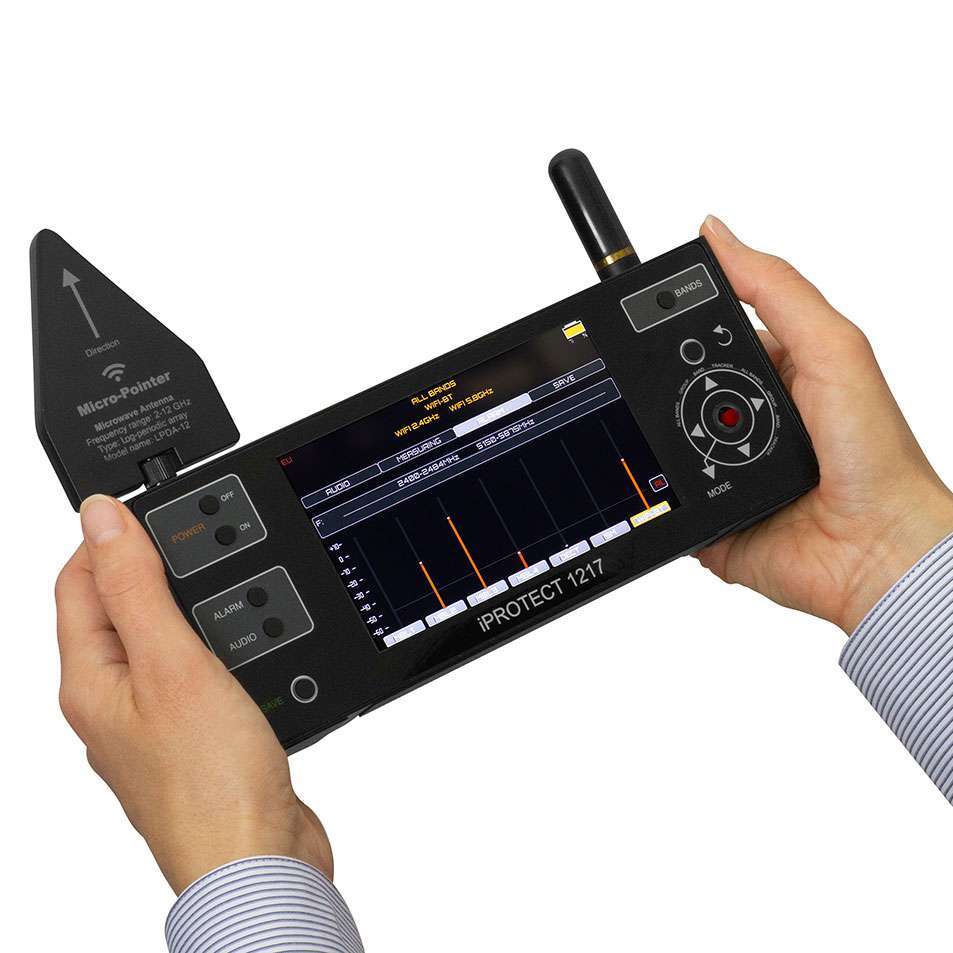
BAND Mode provides a more focused view of an individual frequency band, including a signal-level graph over time.

As the operator moves toward or away from a signal source, changes in signal level can help indicate proximity and support the process of locating the transmitting device.

Best for:
Signal identified → Analyze → Move toward the source → Investigate proximity

This makes BAND Mode particularly useful when an operator needs more information than a simple alarm can provide.

4. TRACKER Mode — Focus on GPS Tracker Activity

TRACKER Mode is specifically designed to help investigate mobile transmissions associated with GPS tracking devices.

Its history accumulation function helps capture periodic transmission activity, which can be useful when a tracker does not transmit continuously.

This makes TRACKER Mode particularly relevant when inspecting vehicles or other assets where GPS tracking is a concern.

Best for:
Tracker suspicion → Focused mobile-signal detection → Observe periodic transmissions → Investigate the source

Two Antennas. Different Detection Ranges.

The iProtect 1217 uses two dedicated antennas to cover its supported frequency ranges.

High-Band Directional Antenna — LPDA-12

2,400–6,000 MHz

The directional antenna helps focus detection on higher-frequency signals and supports more precise investigation when approaching a suspected source.

Low-Band Rod Antenna

600–2,400 MHz

The rod antenna provides coverage across the lower supported frequency range for mobile and wireless signal detection.

Together, the two antennas provide the frequency coverage required for the device’s multi-band detection architecture.

From Detection to Signal Investigation

A practical iProtect 1217 inspection can follow a simple progression:

1. Start with ALL BANDS
Scan the environment broadly and identify active wireless signals.

2. Narrow with GROUP
Focus on the relevant group of frequency bands.

3. Analyze with BAND
Examine signal-level behavior over time and investigate proximity to the source.

4. Switch to TRACKER when required
Focus the inspection on mobile transmissions associated with GPS tracking devices.

5. Adjust the threshold
Use the 43 available sensitivity/threshold levels to adapt the device to the inspection environment.

This gives the operator a structured detection workflow rather than a single “signal detected” response.

43 Sensitivity Levels for More Controlled Detection

Different environments produce different levels of RF activity.

The iProtect 1217 provides 43 adjustable alarm threshold levels, allowing the operator to control how the device responds to detected signals.

This is particularly useful when working in RF-dense environments where a fixed sensitivity level may generate excessive alerts.

The goal is not simply to make the detector more sensitive — it is to make the inspection more controllable and practical.

Visual & Audio Alerts

When the configured detection threshold is reached, iProtect 1217 can provide:

  • Visual alerts
  • Audio alarms
  • Button-operation sounds
  • Adjustable alarm thresholds

The operator can configure the alarm behavior according to the inspection environment.

Designed for Mobile TSCM Inspections

The iProtect 1217 is built for professionals who need to move between inspection environments.

The unit weighs approximately 750 g without antennas, operates for up to 5 hours, and can be powered through USB 5V.

Its portable design makes it suitable for inspections involving:

  • Vehicles
  • Offices
  • Meeting rooms
  • Hotels
  • Confidential facilities
  • Corporate environments
  • Government facilities
  • Other locations where wireless activity requires investigation

How to Use the iProtect 1217

Before the inspection

Connect the appropriate antennas and ensure the device has sufficient battery power.

Where practical, identify known RF sources in the environment so legitimate signals can be distinguished during the inspection.

Start with ALL BANDS

Begin with a broad scan to understand what wireless activity is present.

Narrow the investigation

Use GROUP Mode to focus on relevant frequency groups and BAND Mode to examine individual bands more closely.

Investigate signal proximity

Use signal-level changes as you move through the inspection area to help investigate the likely location of a transmitting source.

Check for trackers

When inspecting a vehicle or other asset where GPS tracking is suspected, use TRACKER Mode to focus on relevant mobile transmission activity.

Adjust detection thresholds

Use the available sensitivity levels to adapt the detector to the RF environment and reduce unnecessary alerts.

iProtect 1217 Technical Specifications

Specification Details
Number of Bands 26+
Antenna Input 1 SMA, 2,400–6,000 MHz
Antenna Input 2 SMA, 600–2,400 MHz
Operating Modes ALL BANDS, GROUP, BAND, TRACKER
Alarm Visual & audio
Alarm Thresholds 43 levels
Regional Configurations US, EU, TOTAL
Power Supply USB 5V
Battery Built-in rechargeable 6,800 mAh, 3.7 V
Operating Time Up to 5 hours
Device Weight Approx. 750 g without antennas
Packed Weight Approx. 1,500 g
Device Dimensions 208 × 86 × 41 mm
Packed Dimensions 27 × 22 × 10 cm
Operating Temperature -5°C to 50°C

Frequently Asked Questions About iProtect 1217

What is the iProtect 1217 used for in a TSCM inspection?

The iProtect 1217 is used to detect and investigate mobile and wireless RF activity during TSCM and counter-surveillance inspections. It can be used for an initial sweep, selective frequency investigation, signal proximity checking and GPS tracker-focused detection.

How is iProtect 1217 different from a conventional RF detector?

A conventional RF detector may primarily indicate that RF energy is present. iProtect 1217 provides four inspection modes — ALL BANDS, GROUP, BAND and TRACKER — allowing the operator to progressively narrow the investigation from broad RF activity to specific frequency groups, individual bands and tracker-related transmissions.

What is the difference between ALL BANDS, GROUP and BAND Mode?

These modes support different levels of inspection:

  • ALL BANDS — Broad scan of supported mobile and wireless bands
  • GROUP — Focuses the search on a selected group of bands
  • BAND — Examines an individual band and displays signal-level behavior over time

A practical workflow is:

ALL BANDS → GROUP → BAND

This allows the operator to progressively narrow down RF activity rather than investigating every signal at once.

How does BAND Mode help locate a transmitting source?

BAND Mode displays the signal level over time. As the operator moves through an environment, changes in signal strength can provide an indication of proximity to the transmitting source.

The directional high-band antenna can further assist with directional investigation of supported higher-frequency signals.

Important: Signal strength can help establish proximity, but it does not by itself identify the device or prove that a signal is unauthorized.

What does TRACKER Mode actually detect?

TRACKER Mode is designed to investigate mobile transmissions associated with GPS tracking devices.

Because some trackers transmit data periodically rather than continuously, the history accumulation function can help the operator observe repeated transmission activity that may otherwise be missed during a short observation period.

Can iProtect 1217 detect a GPS tracker that is not transmitting?

No RF detector can reliably detect a tracker that is completely inactive and emitting no detectable RF transmission.

iProtect 1217’s TRACKER Mode is intended to detect transmission activity associated with GPS tracking devices. Periodic transmission history can help when a tracker communicates intermittently.

This distinction is important during a professional TSCM inspection.

Which frequency ranges are covered by the two antennas?

The iProtect 1217 uses two antenna inputs:

Low-band rod antenna: 600–2,400 MHz
High-band LPDA-12 directional antenna: 2,400–6,000 MHz

Together, they provide the antenna coverage required for the device’s supported multi-band detection architecture.

Why does iProtect 1217 use two different antennas?

The two antennas are designed for different frequency ranges and inspection purposes.

The rod antenna covers the lower range, while the LPDA-12 directional antenna covers higher frequencies and provides directional characteristics that can be useful during proximity investigation.

What mobile networks can iProtect 1217 detect?

Its listed detection capabilities include 2G, 3G, 4G/LTE, 5G and CDMA, subject to the specific frequency bands supported and configured for the operating region.

Can iProtect 1217 detect Wi-Fi and Bluetooth?

Yes. The device supports detection across bands used by technologies including Wi-Fi/WLAN and Bluetooth, along with other supported mobile and wireless transmissions.

Detection of a Wi-Fi or Bluetooth signal does not by itself indicate that the device is a surveillance device; further investigation is required.

How does the 43-level sensitivity system help during a TSCM sweep?

RF environments can vary considerably between a hotel room, vehicle, office, industrial facility or urban environment.

The 43 adjustable alarm threshold levels allow the operator to control the detection threshold according to the surrounding RF environment.

This can make the device more practical in areas where many legitimate wireless signals are present.

Can iProtect 1217 reduce false alarms?

It provides adjustable alarm thresholds and selective detection modes that can help the operator control unnecessary alerts and narrow the inspection.

However, no RF detector can automatically determine whether every detected signal is legitimate or malicious. Professional verification remains necessary.

What does “selective band detection” mean?

Instead of monitoring all supported frequencies at once, the operator can select a specific group or individual band for closer investigation.

This is useful when an initial sweep identifies activity that needs to be examined in greater detail.

Can iProtect 1217 detect wireless cameras or audio transmitters?

It can detect RF transmissions from wireless cameras, wireless audio devices and other RF-emitting equipment when they operate within the supported frequency bands.

It detects the transmission rather than identifying the physical device automatically. The operator must investigate the source.

Is iProtect 1217 suitable for vehicle TSCM inspections?

Yes. Its TRACKER Mode, portable design and multi-band wireless detection make it particularly relevant to inspections where GPS tracking devices or other mobile RF transmitters are a concern.

For vehicle inspections, the operator can combine broad RF scanning with focused tracker investigation and signal proximity analysis.

Does iProtect 1217 detect all RF signals?

No detector should be interpreted as detecting literally every RF signal.

iProtect 1217 detects signals within its supported frequency bands and detection architecture. Its regional band configuration allows the operator to select appropriate frequency allocations for different countries or inspection requirements.

What are the US, EU and TOTAL band settings?

These settings determine which supported frequency allocations are included in the detection configuration:

  • US — US-oriented bands
  • EU — European-oriented bands
  • TOTAL — All supported bands

This allows the device to be configured according to the inspection region.

Can iProtect 1217 be used while charging?

Yes. The device supports operation through its USB power connection and has a built-in 6,800 mAh rechargeable battery, with an operating time of up to approximately 5 hours on a charge.

Is iProtect 1217 a complete TSCM solution?

No. iProtect 1217 is a specialized multi-band wireless/RF detection component within a broader TSCM workflow.

A professional TSCM inspection may require additional technologies such as RF spectrum analysis, camera detection, NLJD, physical inspection and other specialized detection methods depending on the environment and threat model.

What is the recommended iProtect 1217 inspection workflow?

A practical workflow is:

1. ALL BANDS → Establish the RF environment
2. GROUP → Narrow the relevant signal group
3. BAND → Examine individual-band activity
4. TRACKER → Investigate suspected GPS tracker transmissions
5. Proximity Investigation → Move toward and investigate the suspected source
6. Verification → Determine whether the detected source is legitimate, unknown or requires further investigation

This makes the iProtect 1217 particularly useful as a focused RF investigation tool within a professional TSCM process.

What’s Included

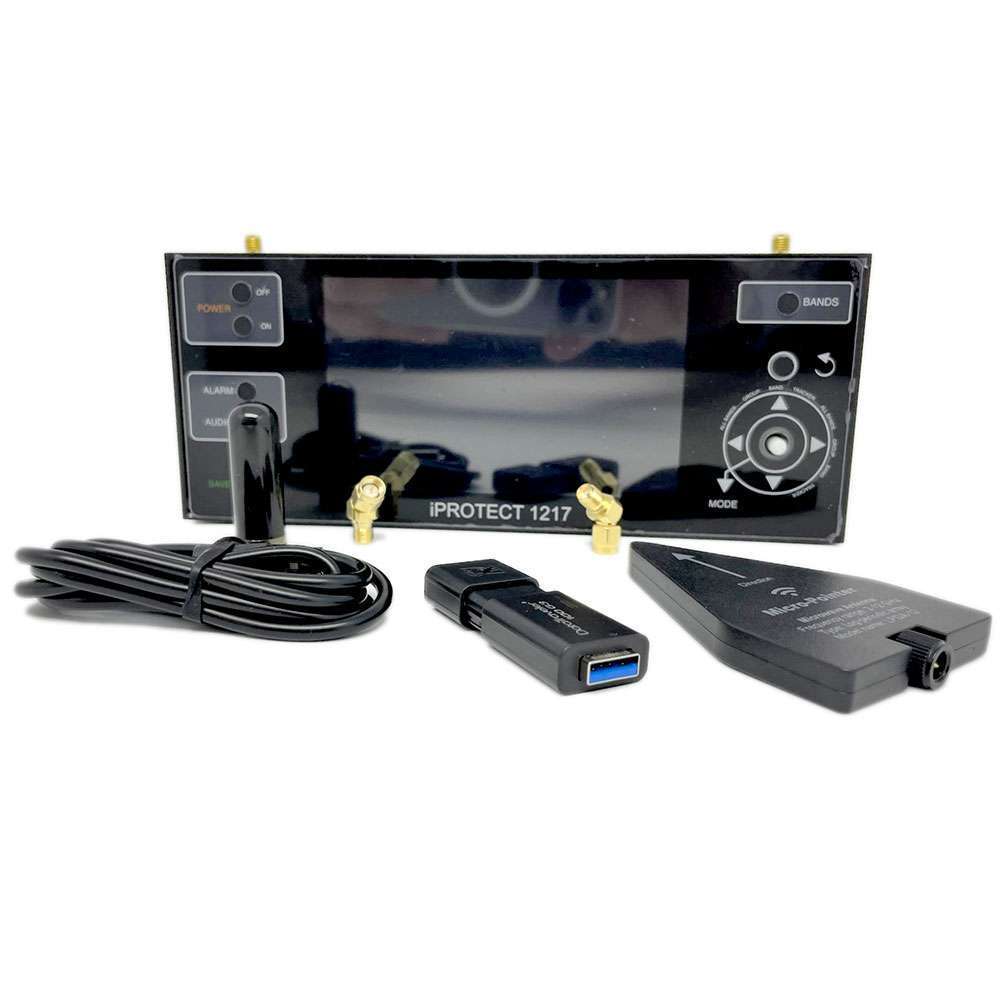
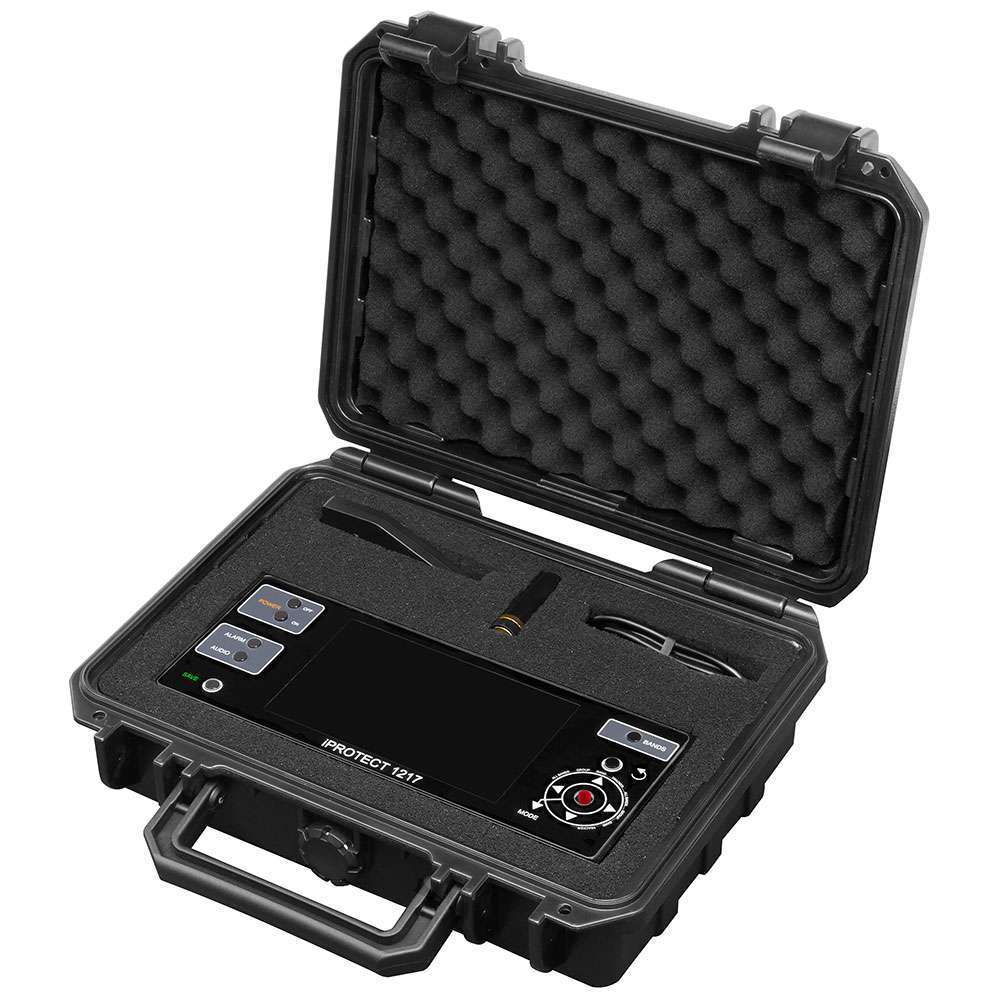
The iProtect 1217 TSCM Detection Kit includes:

  • iProtect 1217 detector
  • High-band LPDA-12 directional antenna
  • Low-band rod antenna
  • USB Type-C charging cable
  • 2 × SMA angle adapters
  • Carry case
  • User manual


1 review for iProtect 1217 — Multi-Band RF & Wireless Signal Detector / Selective Band Analysis & GPS Tracker Detection

  1. Miroslav H.

    I recently bought this detection kit from Archthetic. The product works exceptionally well, efficiently detecting various wireless signals with pro-grade quality. Although there was a slight shipping delay, the Archthetic team was very helpful and responsive, keeping me updated throughout. Overall, I’m very satisfied with the product and the excellent customer service.

Only logged in customers who have purchased this product may leave a review.