


Description
Smartphone Call Recorder — Professional Bluetooth Call Recording & Audio Documentation
Record mobile conversations independently from the smartphone with Bluetooth call capture, time-and-date information, local audio storage and standalone voice recording.
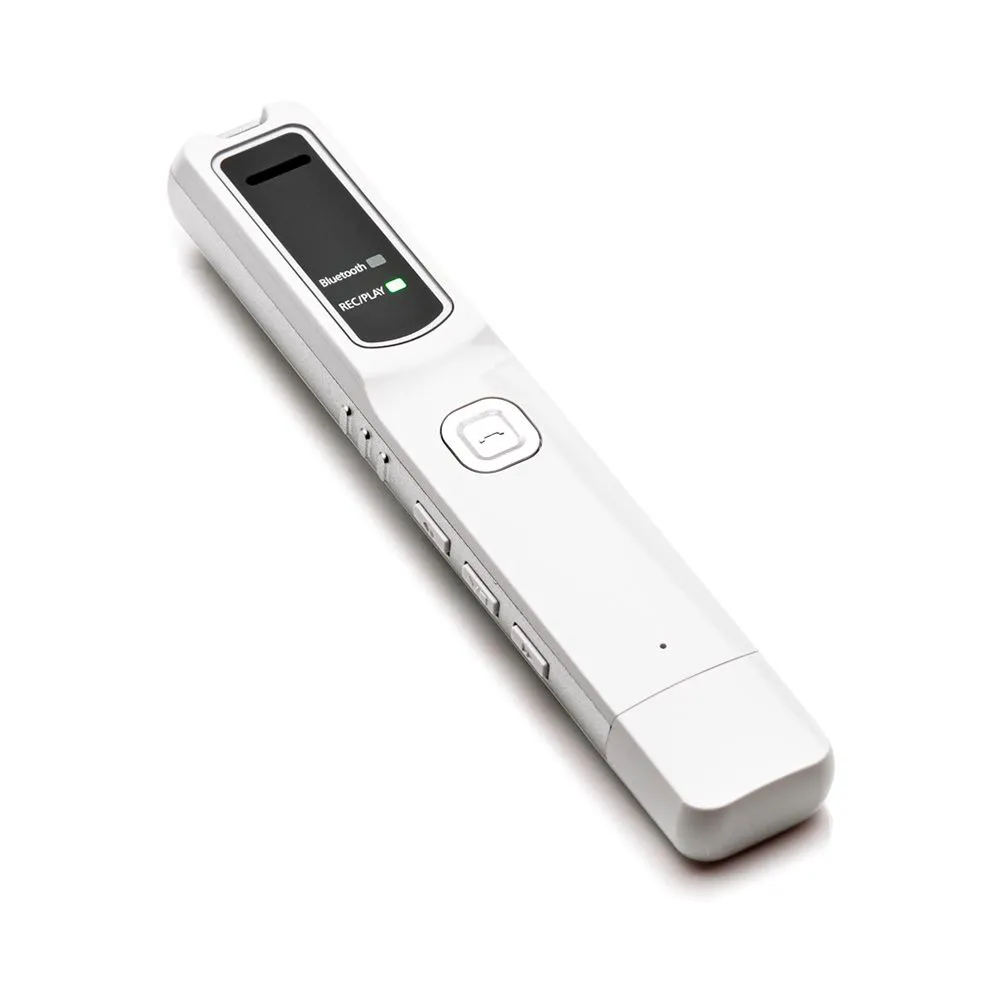
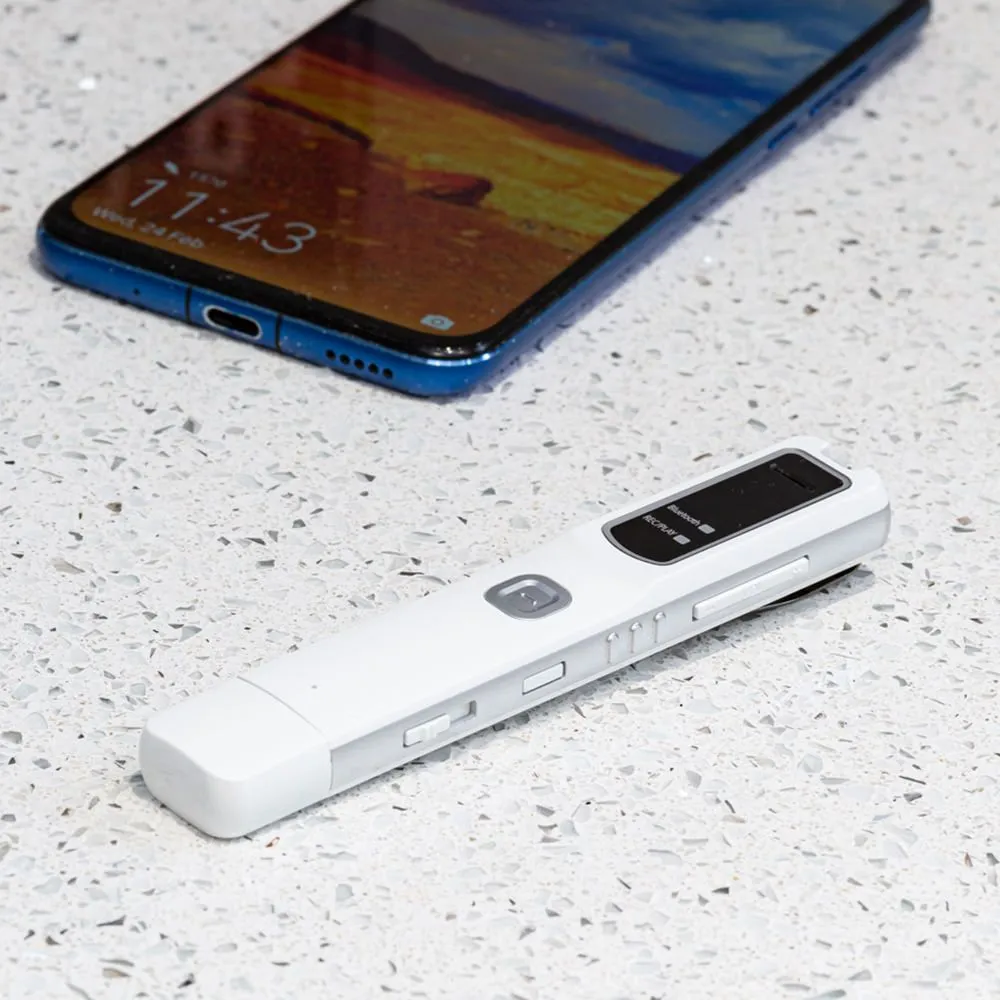
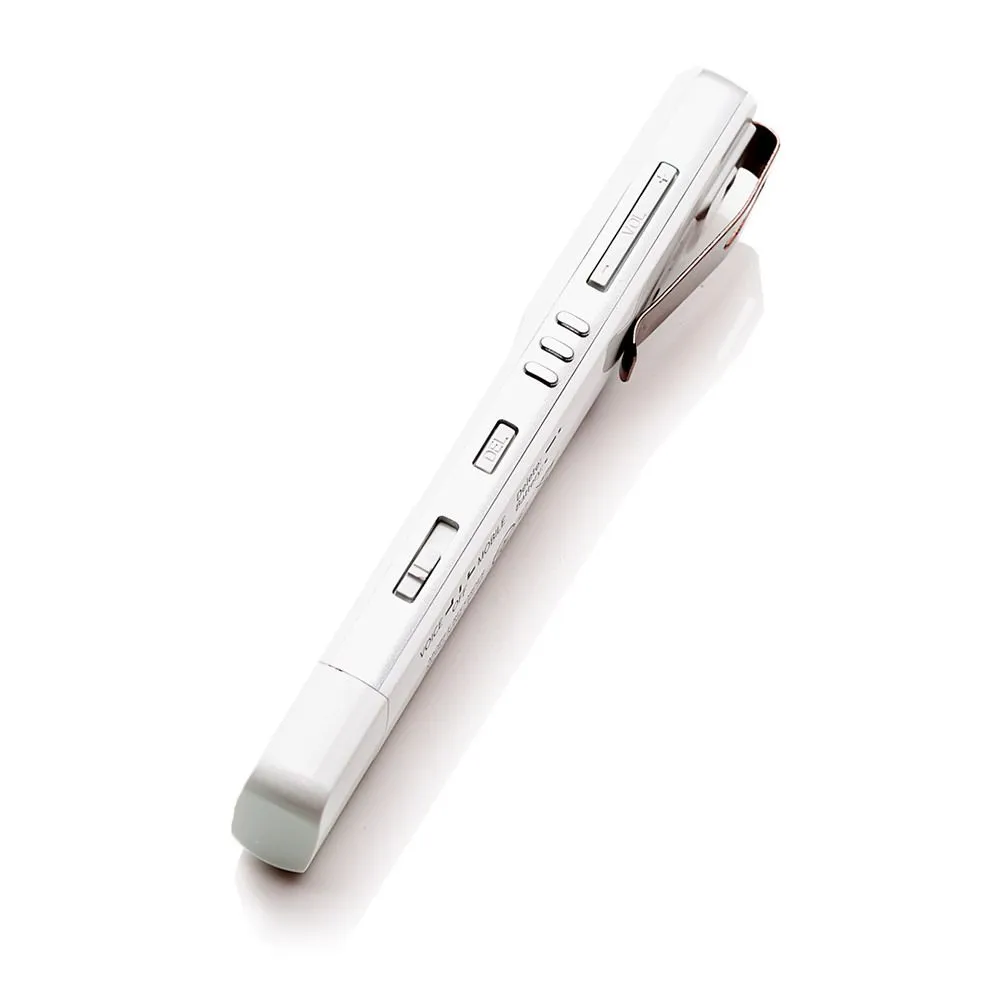
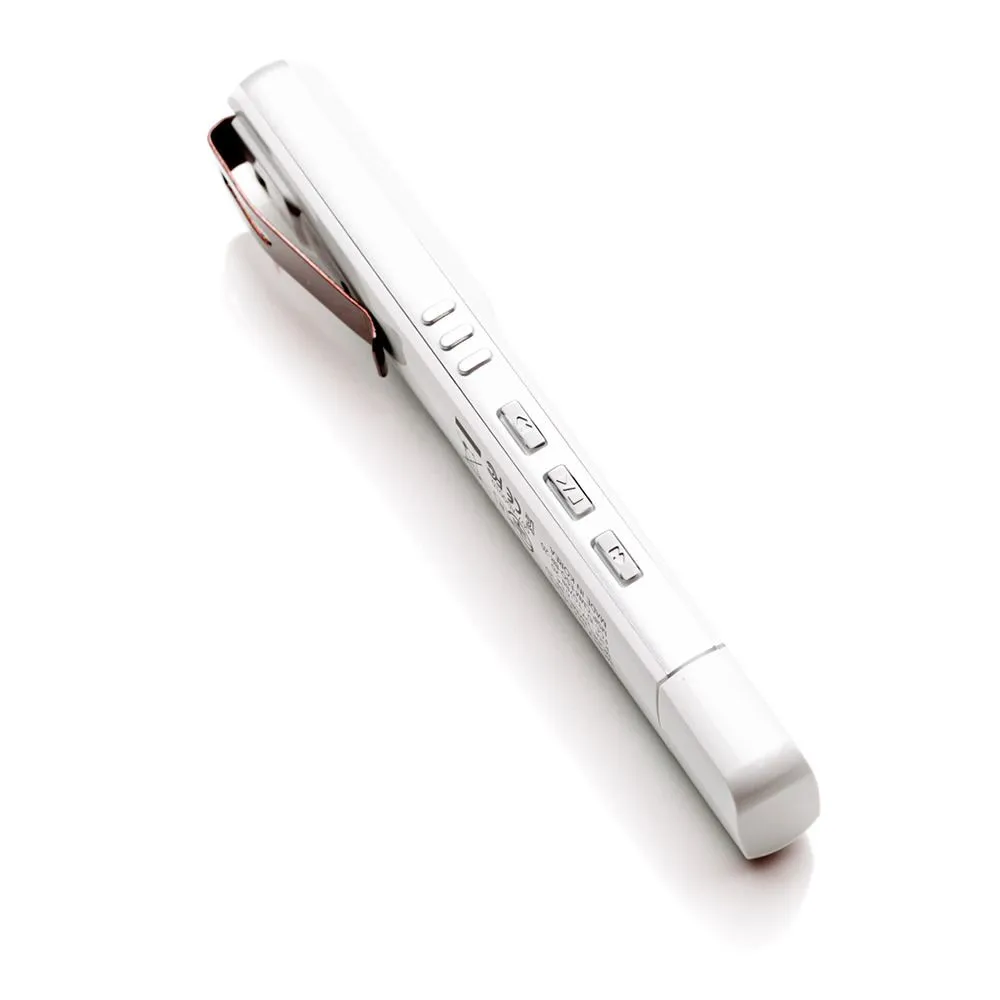
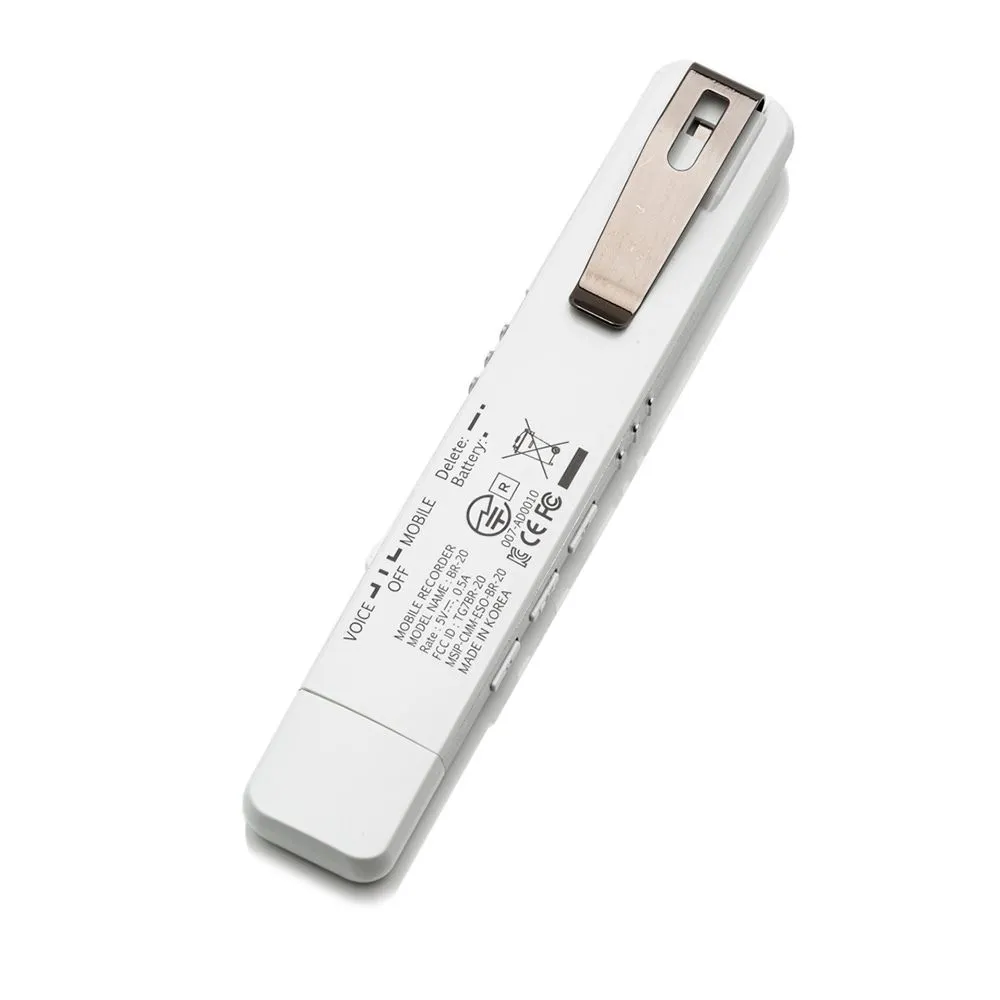
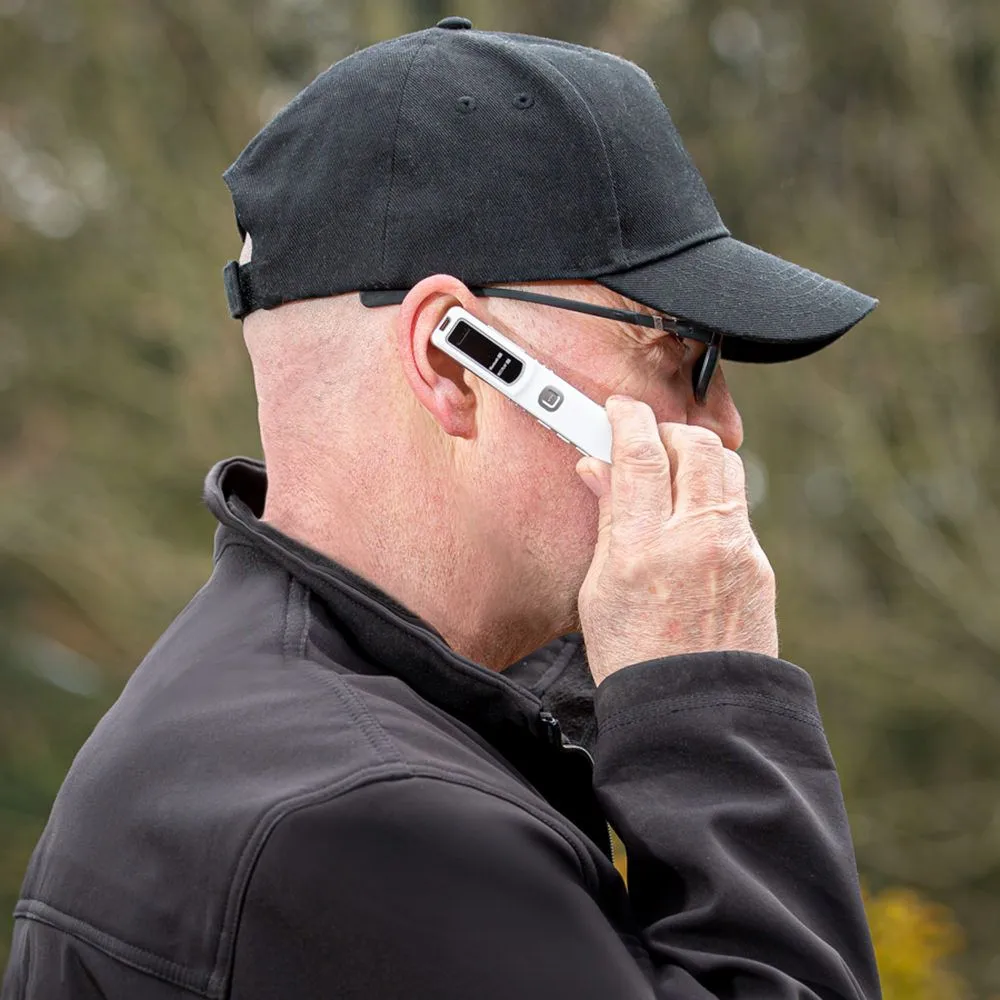
The Smartphone Call Recorder is a compact Bluetooth-based hardware recorder designed to capture smartphone conversations and store the resulting audio independently from the phone.
It supports iPhone, Android and compatible Bluetooth-enabled smartphones and tablets, while also providing a standalone voice-recording mode for meetings, interviews, field notes and other authorized audio documentation. The manufacturer specifies support for both conventional mobile calls and supported VoIP applications.
The key difference is architectural:
Smartphone → Bluetooth → Independent Recorder → Local Storage
rather than:
Smartphone → Operating System → Recording App → App Storage / Cloud
That distinction can matter when the objective is dependable professional documentation rather than casual personal recording.
What Is the Smartphone Call Recorder?
The Smartphone Call Recorder is a dedicated external Bluetooth call-recording device designed to capture both sides of supported mobile conversations and store recordings in its own internal memory.
The manufacturer specifies:
- Bluetooth 3.0 + EDR
- Compatibility with iPhone and Android smartphones
- Support for compatible tablets
- Recording of incoming and outgoing calls
- Support for supported VoIP calls
- MP3 recording
- Time and date information
- Internal storage
- Built-in playback
- USB file transfer
- Standalone voice recording mode
This makes the product more than a simple call recorder.
It is a portable call-recording and audio-documentation platform.
What Problem Does It Solve?
Recording a phone call should be simple.
In practice, smartphone-based recording can depend on:
- Phone model
- Operating system
- Region
- Carrier
- App permissions
- Recording APIs
- Third-party app architecture
- VoIP compatibility
- Software updates
- Cloud services
- Subscription requirements
Google explicitly notes that call recording is only supported on certain devices, operators and regions, while Apple also limits native call recording by region and language.
That creates a problem for professionals who need a repeatable recording workflow.
The Smartphone Call Recorder addresses that problem by moving the recording function outside the smartphone’s native recording software.
Hardware Call Recording vs. App-Based Call Recording
The fundamental difference is where the recording function lives.
| Recording Architecture | App-Based Solution | Smartphone Call Recorder |
|---|---|---|
| Recording location | Inside smartphone/software environment | Dedicated external recorder |
| Depends on OS recording access | Often | Reduced dependency |
| Requires recording app | Usually | No dedicated recording app |
| Local independent storage | App-dependent | Yes |
| Bluetooth connection | App/device dependent | Yes |
| Phone model dependency | Can be significant | Primarily Bluetooth compatibility |
| Region restrictions | Can apply | Less dependent on native call-recording availability |
| Software updates | May change functionality | Recorder remains separate |
| Cloud dependency | May exist | Not required |
| Standalone voice recording | Usually separate function | Yes |
| Built-in playback | App/device dependent | Yes |
| USB computer transfer | App-dependent | Yes |
This does not mean every hardware recorder is universally better than every app.
Modern phones can provide excellent native recording where supported.
The advantage of a dedicated hardware recorder is independence and consistency.
Why App-Based Call Recording Can Be Limited
Operating-System Restrictions
Mobile operating systems control access to call audio.
Third-party applications may not receive the same audio access available to the native phone application.
For example, Android call-recording software documents technical restrictions on accessing both sides of calls on newer Android versions.
Device & Carrier Differences
Google states that call recording availability depends on the device, operator and region.
That means an application that works on one phone may not provide identical functionality on another.
Regional Availability
Apple’s native call recording is not available in every country or region. Apple’s current documentation explicitly lists multiple regions where the feature is unavailable.
Software Architecture
Some third-party applications use workarounds such as conference or bridge calling rather than direct access to the phone’s call audio.
Rev, for example, documents a recording-line approach for iPhone rather than direct call-audio access.
Software Changes
An application can also be affected by:
- Operating-system updates
- Permission changes
- API restrictions
- App-store policies
- Device-specific behavior
- Carrier changes
For a professional investigation, that introduces another dependency into the evidence workflow.
Independent Hardware Recording
The Smartphone Call Recorder takes a different approach.
The recorder pairs to the smartphone through Bluetooth and stores the captured audio on its own internal memory.
The manufacturer states that no smartphone recording application is required.
This creates a simpler architecture:
Phone Call → Bluetooth → Recorder → Local File
The phone remains the communication device.
The recorder becomes the dedicated documentation device.
Record Both Sides of the Call
The manufacturer specifies recording of both incoming and outgoing conversation audio.
This is important because a recording containing only one side of a conversation may be of limited practical value for investigation or documentation.
The objective is to preserve the conversation as an audio record for later review.
Actual performance can depend on the supported phone, Bluetooth implementation and call type.
VoIP Call Recording
The manufacturer also states that the device can record supported calls made through applications such as:
- Signal
- Telegram
- Skype
- Similar supported smartphone communication applications
This expands the product beyond conventional cellular calls.
The correct positioning is:
Supported VoIP Call Recording
rather than claiming universal compatibility with every VoIP application.
Application behavior can change, and compatibility should be confirmed for mission-critical requirements.
Time & Date Information
Each recording can include time and date information according to the manufacturer’s product description.
This provides a useful organizational layer when dealing with multiple recordings.
For example:
Call → Recording → Date/Time → Case File
This can make it easier to associate an audio file with the relevant event during later review.
However, a timestamp should not be presented as independent proof that the recording occurred at that exact time.
Metadata can support documentation, but evidentiary authentication depends on the overall evidence foundation.
Why Independent Storage Matters
A smartphone is simultaneously:
- A communication device
- A personal device
- A data repository
- An internet-connected computer
- An application platform
That makes it convenient—but also creates dependencies.
A dedicated recorder provides a separate storage location for the audio file.
This can help reduce reliance on:
- Phone storage
- App databases
- Cloud synchronization
- Application accounts
- Software-specific export systems
The manufacturer specifically positions the recorder as storing recordings independently from the smartphone.
For professional users, that separation can be valuable.
Local File Storage
The recorder stores recordings internally.
The manufacturer specifies:
- 4GB / 8GB storage options
- Up to 144 hours of recordings
- MP3 format
Actual capacity depends on the selected storage configuration and recording settings.
Local storage can be particularly useful when the workflow requires:
Record → Remove from phone environment → Archive → Review
rather than:
Record → Sync → Cloud → Export
MP3 Audio Recording
The Smartphone Call Recorder saves recordings as MP3 files.
The manufacturer specifies:
- MP3 format
- XHQ
- HQ
- SP recording quality options
The current product information also specifies 64 Kbps for call recordings.
MP3 provides broad compatibility for:
- Windows
- Mac
- Standard media players
- Case-management systems
- Transcription workflows
- Secure archival systems
The format should nevertheless be evaluated against the requirements of the specific investigation or legal workflow.
Standalone Voice Recorder Mode
The device is not limited to phone calls.
It also provides a standalone VOICE recording mode.
This allows the same device to support authorized documentation of:
- Meetings
- Interviews
- Field notes
- Vehicle conversations
- In-person discussions
- Professional observations
The manufacturer describes the recorder as a dual-function device: call recorder plus standalone voice recorder.
This increases the practical value of carrying one device.
Built-In Playback
The recorder includes onboard playback.
Users can review recordings directly from the device without first transferring them to another computer.
This can be useful for:
- Immediate verification
- Quality checking
- Reviewing a recorded conversation
- Confirming that a file was created correctly
Playback should be considered a review function rather than an evidence-verification mechanism.
USB File Transfer
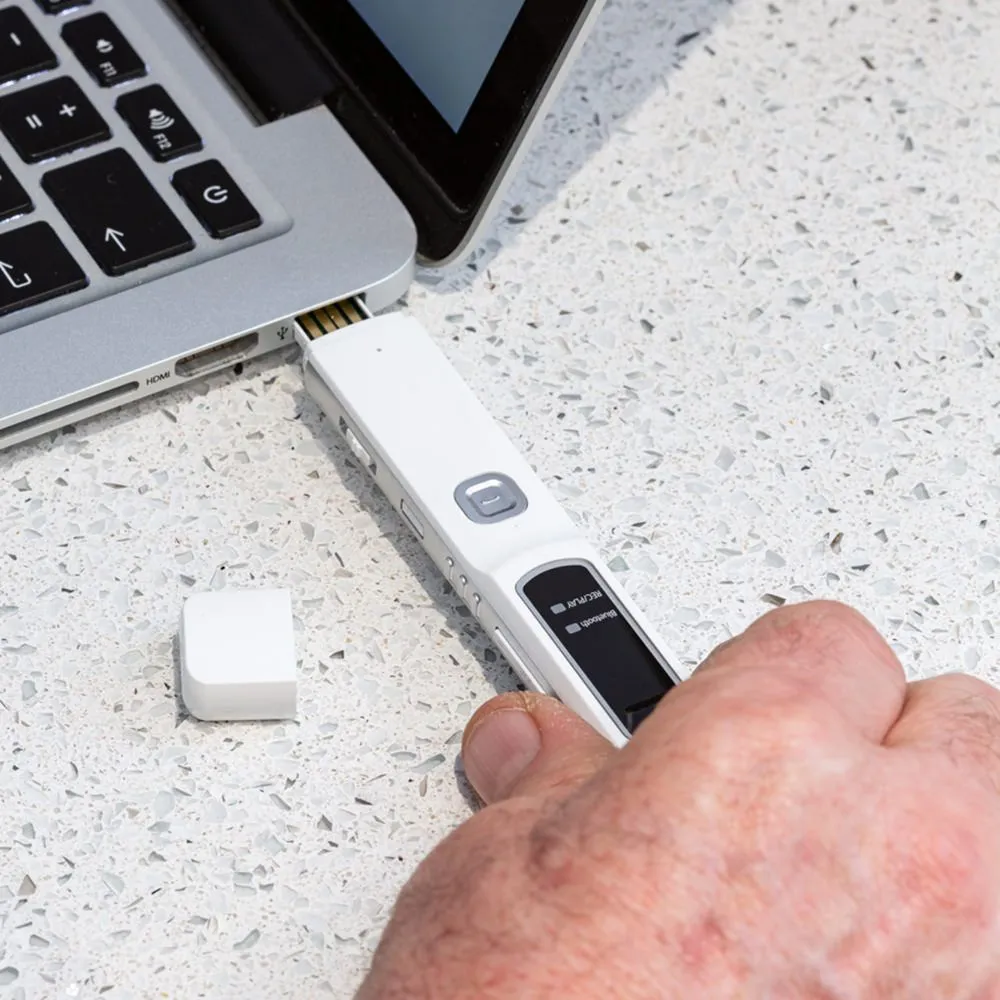
The device connects directly to Windows and Mac computers through USB.
The manufacturer describes plug-and-play file access without specialist software.
This supports a straightforward workflow:
Record → Connect → Copy → Archive → Review → Transcribe
The simplicity matters when recordings need to move into a professional case-management or documentation environment.
Professional Investigation Workflow
For a private investigator, the product can support a structured workflow:
1. Authorize
Confirm that the recording is lawful and within the investigator’s authority.
2. Record
Capture the relevant conversation using the dedicated recorder.
3. Preserve
Maintain the original recording and avoid unnecessary modification.
4. Transfer
Copy the recording to the designated case-management or evidence environment.
5. Document
Record relevant information such as date, time, participants, circumstances and file identity.
6. Review
Listen to the original recording and identify relevant portions.
7. Transcribe
Where useful, create a transcript from the original audio.
8. Corroborate
Compare the recording with other evidence such as call records, messages, documents or witness testimony.
9. Report
Present the recording and supporting documentation according to the applicable legal and professional requirements.
This is where the product can become more valuable than simply “an app that records calls.”
It supports a broader documentation workflow.
Why It Can Be Valuable for Private Investigators
Private investigators often work across different environments and technology platforms.
A case may involve:
- iPhone calls
- Android calls
- VoIP conversations
- Interviews
- Witness communications
- Client instructions
- Dispute documentation
- Fraud investigations
- Threat-related communications
- Timeline reconstruction
A dedicated hardware recorder can provide one consistent recording layer across those situations.
The key advantage is not that the device automatically creates better evidence.
It is that it can make the recording process more independent, portable and repeatable.
Call Recording for Fraud & Dispute Documentation
Telephone conversations can contain important information about:
- Agreements
- Instructions
- Representations
- Disputes
- Threats
- Fraud allegations
- Transaction details
- Witness statements
A dedicated recorder can preserve the conversation as a separate audio file for later review.
However, recording legality and evidentiary treatment vary by jurisdiction.
The correct professional workflow is:
Lawful Recording → Original File Preservation → Documentation → Authentication → Legal Review
Not:
Recording Device → Automatically Admissible Evidence
Call Recording as Potential Evidence
The device can support an evidence workflow, but the device itself does not determine whether the recording will be admitted in court.
In U.S. federal evidence law, authentication requires evidence sufficient to support a finding that an item is what the proponent claims it is. Rule 901 also provides examples involving witness knowledge, distinctive characteristics, voice identification and telephone conversations.
Authentication is only one part of the analysis.
The court may also consider:
- Relevance
- Hearsay
- Privilege
- Recording legality
- Consent requirements
- Completeness
- Reliability
- Chain of custody
- Applicable procedural rules
Therefore:
Time-stamped MP3 ≠ automatically admissible evidence.
But:
A professionally captured, preserved and documented original recording can be a useful evidentiary asset when lawfully obtained and properly authenticated.
Hardware Recorder vs. App-Based Solution for Evidence Workflows
| Evidence Workflow Requirement | App-Based Recorder | Dedicated Smartphone Call Recorder |
|---|---|---|
| Independent recording device | Usually no | Yes |
| Independent local storage | Depends on app | Yes |
| OS dependency | Often significant | Reduced |
| App permissions | Required | Not required |
| Cloud dependency | Sometimes | Not required |
| Software account | May be required | No recording account required |
| Device portability | Phone-dependent | Dedicated device |
| Time/date information | App-dependent | Supported |
| Built-in playback | Phone/app | Yes |
| USB file access | App-dependent | Yes |
| Standalone recording | Usually separate | Yes |
| VoIP support | App-dependent | Supported applications |
| Cross-platform workflow | Varies | iPhone + Android + compatible devices |
| Evidence foundation | Still required | Still required |
The hardware advantage is therefore primarily technical independence, not automatic legal superiority.
Why the Hardware Architecture Can Be More Reliable
Imagine a professional relying on a call-recording application.
The recording depends on:
Phone → OS → Permissions → App → Recording API → Storage
A dedicated recorder reduces the number of software layers involved:
Phone → Bluetooth → Dedicated Recorder → Local Storage
Fewer dependencies can mean a more predictable operational workflow.
That can be particularly valuable when the recording itself is important to the case.
But Is Hardware Always Better?
No.
A native phone recorder can be extremely convenient where it is supported.
Apple and Google now provide native call-recording capabilities in supported configurations, with built-in notification and regional/device restrictions.
An app or native feature may therefore be preferable when:
- The phone already supports reliable recording
- Integrated call management is important
- No independent archive is required
- The user prefers a software-only workflow
The Smartphone Call Recorder becomes more compelling when the requirement is:
Independent Hardware + Local Storage + Cross-Platform Portability + Professional Documentation
Smartphone Call Recorder vs. Native iPhone Recording
| Requirement | Native iPhone Recording | Smartphone Call Recorder |
|---|---|---|
| Built into phone | Yes | No |
| Separate hardware | No | Yes |
| App installation | No | No |
| Independent storage | No | Yes |
| Participant notification | Yes | Depends on lawful use/configuration |
| Region availability | Restricted | Less dependent on native iOS availability |
| Time/date information | System-managed | Recorder-supported |
| Standalone voice recorder | No dedicated separate device | Yes |
| USB file workflow | Phone-based | Dedicated recorder storage |
| Evidence workflow separation | Lower | Higher |
Apple currently limits native call recording by region and language, and both participants receive an audio notification when Apple’s feature is used.
Smartphone Call Recorder vs. Android App Recording
| Requirement | App-Based Android Recorder | Smartphone Call Recorder |
|---|---|---|
| OS dependency | High | Reduced |
| Device compatibility | Varies | Bluetooth-based |
| Recording permissions | Often required | No recording app required |
| Android API changes | Can affect functionality | Less dependent |
| Local dedicated storage | App-dependent | Yes |
| Cloud dependency | App-dependent | No |
| Standalone voice mode | App/device dependent | Yes |
| USB file transfer | App-dependent | Yes |
| Professional portability | Phone-dependent | Dedicated device |
Third-party Android recording tools themselves document significant differences across Android versions and access methods.
What Makes This Product Different?
The strongest differentiator is not simply:
“It records phone calls.”
Many technologies can do that.
The stronger proposition is:
“It separates call recording from the smartphone’s software environment.”
That provides a dedicated workflow for:
Capture → Store → Review → Transfer → Archive → Document
Recording Quality
The manufacturer specifies MP3 recording at up to 64 Kbps for call recordings and additional XHQ/HQ/SP quality settings.
The actual suitability of the audio for a particular professional purpose depends on:
- Network quality
- Bluetooth conditions
- Source audio
- Recording mode
- Environmental conditions
- Device compatibility
No recording device can guarantee perfect audio in every situation.
Battery & Storage
The manufacturer specifies:
| Specification | Manufacturer Information |
|---|---|
| Storage | 4GB / 8GB options |
| Stated recording capacity | Up to 144 hours |
| Call recording time | Up to 5 hours |
| Voice recording time | Up to 12 hours |
| Standby | Up to 360 hours |
| Recharge time | Approximately 2 hours |
| Bluetooth | V3.0 + EDR |
| Bluetooth range | Up to 10 m |
| Voice microphone range | Approximately 8 m |
| File format | MP3 |
| Quality modes | XHQ / HQ / SP |
| Computer | Windows / Mac |
| Weight | 21 g |
| Dimensions | 113 × 20 × 12 mm |
Actual operating time and storage capacity vary according to recording mode, file quality, usage and configuration.
Professional Applications
Private Investigators
Useful for authorized telephone documentation, witness communications, client instructions, dispute records and investigative timelines.
Legal Professionals
Can support authorized recording and documentation of client or business communications where permitted.
The recorder does not itself establish privilege, legality or admissibility.
Corporate Investigations
Useful for documenting authorized business communications, internal investigations and dispute-related calls.
Journalists
Provides a dedicated recording archive separate from the primary smartphone.
Compliance & HR
Can support authorized documentation of sensitive calls where organizational policy and applicable law permit recording.
Fraud Investigations
Can provide an independent audio record of relevant communications where lawful.
Customer Dispute Documentation
Can help preserve important verbal communications outside the smartphone’s normal application environment.
Field Professionals
The standalone voice-recording mode adds value for interviews, meetings and field notes.
What the Product Does Not Guarantee
The Smartphone Call Recorder does not automatically guarantee:
- Legal recording authority
- Consent
- Privacy compliance
- Authenticity
- Chain of custody
- Evidentiary admissibility
- Identity of the speaker
- Completeness of a conversation
- Accuracy of a transcript
Those outcomes depend on the surrounding process.
Evidence Integrity: What the Device Can and Cannot Contribute
The device can contribute:
- Independent local storage
- Time/date information
- Original audio files
- Repeatable recording hardware
- Direct USB transfer
- Separation from smartphone software
But evidence integrity requires more than the recording device.
A professional evidence workflow should consider:
Original File → File Identity → Preservation → Access Control → Transfer Documentation → Chain of Custody → Authentication
In U.S. federal evidence practice, authentication is about establishing that the evidence is what the proponent claims it is; even successful authentication does not automatically overcome other admissibility issues.
Technical Limitations
Bluetooth Compatibility
The smartphone or tablet must support compatible Bluetooth functionality.
Application Compatibility
VoIP support should be treated as application-dependent rather than universal.
Recording Duration
Maximum recording time depends on mode, battery condition and storage.
Audio Quality
Bluetooth and source-network conditions can affect the quality of the final recording.
Metadata
Time/date information supports organization but should not be represented as independent proof of authenticity.
Legal Use
Recording laws vary significantly by jurisdiction.
Legal & Evidence Notice
The Smartphone Call Recorder is a recording technology, not a legal compliance system.
Users are responsible for determining whether recording a conversation is lawful in the relevant jurisdiction and circumstances.
Consent requirements vary. Google explicitly warns users to comply with applicable laws, and Apple likewise instructs users to ensure the other participant is willing to be recorded.
For example, U.S. federal law contains a one-party-consent provision in certain circumstances, but state law and other circumstances can impose additional requirements.
Accordingly:
The device can support lawful evidence collection. It does not create the legal authority to record.
Likewise:
The device can support evidence preservation. It does not guarantee courtroom admissibility.
Frequently Asked Questions
What is a smartphone call recorder?
A smartphone call recorder is a device or software system designed to capture telephone conversations made through a smartphone. This model uses an independent Bluetooth-connected recorder with local storage.
How does the Smartphone Call Recorder work?
It connects to a compatible smartphone through Bluetooth and records supported call audio directly onto the recorder’s internal storage.
Does it work with iPhone?
Yes. The manufacturer specifies compatibility with iPhone and other Bluetooth-enabled smartphones.
Does it work with Android?
Yes. The manufacturer specifies compatibility with Android smartphones supporting compatible Bluetooth functionality.
Does it require an app?
No. The manufacturer specifies that no smartphone recording application is required.
Why use hardware instead of an app?
The primary advantage is independence from the smartphone’s recording application environment. It provides dedicated local storage and a separate recording device.
Is hardware recording more reliable than app recording?
It can reduce software and operating-system dependencies, but no recording method is universally more reliable in every situation. Phone compatibility and Bluetooth performance still matter.
Can it record both sides of a call?
The manufacturer specifies recording of both sides of supported calls.
Can it record WhatsApp calls?
The manufacturer states that supported VoIP applications including WhatsApp can be recorded. Application compatibility should be confirmed for mission-critical use.
Can it record Signal calls?
The manufacturer lists Signal among supported VoIP applications. Compatibility can change with application and platform updates.
Can it record Telegram calls?
The manufacturer lists Telegram among supported VoIP applications.
Can it record Skype calls?
The manufacturer lists Skype among supported VoIP applications.
Does it record calls automatically?
The manufacturer states that recording can be enabled at the beginning or during a call. It should not be represented as universal automatic recording of every call.
Does the other person hear a recording notification?
The product’s hardware architecture is different from native Apple/Google recording systems. Users must follow applicable consent and notification requirements regardless of whether the recording system itself provides an automated announcement.
Does it have time and date stamping?
Yes. The manufacturer specifies time and date information for recordings.
Does a timestamp prove when a call occurred?
No. A timestamp is useful metadata, but it does not independently authenticate the entire recording or prove every circumstance surrounding its creation.
Can recordings be transferred to a computer?
Yes. The manufacturer specifies direct USB transfer to Windows and Mac computers.
Can recordings be played without a computer?
Yes. The device includes onboard playback and a built-in speaker.
Can it also record normal conversations?
Yes. It has a standalone VOICE mode for general audio recording.
How much storage does it have?
The manufacturer specifies 4GB and 8GB options, with up to 144 hours of recordings depending on configuration.
How long can it record a phone call?
The manufacturer specifies up to 5 hours of call recording, depending on operating conditions and configuration.
How long can it record in voice mode?
The manufacturer specifies up to 12 hours of voice recording.
What is the Bluetooth range?
The manufacturer specifies up to 10 metres. Actual range depends on the environment and connected device.
Is the device suitable for private investigators?
Yes. Its independent recording architecture, time/date information, local storage and USB transfer can support authorized investigative documentation.
Is it suitable for legal professionals?
It can support lawful documentation of calls, but legal professionals should determine the applicable recording and evidence requirements for each jurisdiction and matter.
Can recordings from this device be used in court?
They may potentially be used as part of an evidentiary record where lawfully obtained and properly authenticated, but the device cannot guarantee admissibility.
Under U.S. Federal Rule of Evidence 901, evidence must be sufficiently authenticated, and authentication does not automatically resolve other admissibility issues.
Does the device make recordings legally admissible?
No.
The device supports recording and documentation. It does not determine admissibility.
Does time/date stamping make a recording court-admissible?
No.
Timestamping can support organization and documentation, but admissibility depends on the applicable legal and evidentiary requirements.
Is an MP3 recording automatically evidence?
No.
An MP3 is a file format. Its evidentiary value depends on how it was lawfully obtained, preserved, authenticated and presented.
Is independent hardware better for evidence preservation?
It can provide an additional layer of separation from the smartphone and app environment by storing the audio independently. That can be useful in an evidence-management workflow.
Does independent storage guarantee that a recording has not been altered?
No.
Preservation controls, access management, documentation and appropriate forensic procedures may still be required.
Is this device encrypted?
The manufacturer information reviewed does not establish encryption of the stored audio. Therefore, it should not be marketed as an encrypted recorder unless the manufacturer confirms that capability.
Is cloud storage required?
No. The recorder stores audio locally and provides USB transfer to a computer.
Is this better than Apple’s built-in call recording?
Not universally.
Apple’s native feature is more integrated with the phone, while this product’s advantage is independent hardware and local recorder storage. Apple’s call recording is also region-dependent.
Is this better than an Android call-recording app?
It can be advantageous when the priority is reducing dependence on Android recording permissions, APIs and app behavior. However, native Android recording can be excellent on supported devices.
Who benefits most from this product?
The strongest professional users include:
- Private investigators
- Legal professionals
- Corporate investigators
- Compliance teams
- Journalists
- Consultants
- Business professionals
- Researchers
- Professionals documenting important telephone communications
What is the main advantage over an app?
Recording independence.
The device separates the recording function from the smartphone’s application environment and stores the resulting audio independently.
What is the main advantage for a private investigator?
It can provide a repeatable hardware-based workflow for authorized call documentation across compatible smartphones, while keeping recordings separate from the phone’s normal application environment.
What is the main advantage for evidence workflows?
It creates a separate physical recording layer with local storage, time/date information and direct file transfer, which can simplify preservation and documentation.
Can this replace a professional digital evidence system?
No.
It is a recording device, not a complete digital-forensics or evidence-management platform.
What should a professional evaluate before purchasing?
Evaluate:
- Smartphone compatibility
- Bluetooth compatibility
- Required call types
- VoIP requirements
- Recording duration
- Storage capacity
- File format
- Time/date functionality
- Transfer workflow
- Evidence-preservation requirements
- Jurisdictional recording laws
- Organizational policies
- Required chain-of-custody procedures
Why Choose the Smartphone Call Recorder?
The strongest reason to choose this product is not simply that it records calls.
It is that it provides a separate hardware layer for professional call documentation.
Instead of depending entirely on:
Phone → OS → App → Permissions → Cloud / App Storage
professionals can use:
Phone → Bluetooth → Dedicated Recorder → Local Storage → USB Archive
That architecture can be valuable for investigators and professionals who need greater independence from smartphone software.
It can also support a broader workflow:
Record → Preserve → Review → Transfer → Document → Authenticate
The device does not guarantee that a recording will be accepted by a court.
It does, however, provide the physical and technical foundation for a more controlled recording workflow when used lawfully and documented properly.
Final Takeaway
The Smartphone Call Recorder is best positioned as a:
Professional Bluetooth Call Recording & Audio Documentation Device
Its strongest market differentiator is hardware independence.
It works across compatible iPhone and Android environments without requiring a dedicated recording app, stores recordings locally, provides time/date information, supports supported VoIP calls, and can also function as a standalone voice recorder.
For private investigators, legal professionals, corporate investigators and other professional users, that makes it particularly relevant when the requirement is not simply:
“Can I record this call?”
but:
“Can I create a repeatable, independent and documented recording workflow?”
That is where dedicated hardware can offer a meaningful advantage over app-only solutions.
Technical FAQ
What recording technology does the Smartphone Call Recorder use?
The device uses Bluetooth connectivity to interface with compatible smartphones and records the resulting call audio onto its internal storage. The manufacturer specifies Bluetooth 3.0 + EDR.
Does it require a recording application?
No. The manufacturer specifies that no smartphone recording application is required.
Does it require Bluetooth?
Yes. The smartphone or tablet must support compatible Bluetooth functionality.
What Bluetooth version does it use?
The manufacturer specifies Bluetooth V3.0 + EDR.
What is the Bluetooth range?
The manufacturer specifies up to 10 metres. Actual range depends on the phone, environment and radio conditions.
Can it record both sides of a conversation?
The manufacturer states that the device records both sides of supported calls.
What audio format does it use?
The manufacturer specifies MP3 recording, with XHQ, HQ and SP quality options.
What is the specified call-recording bitrate?
The manufacturer currently specifies 64 Kbps for call recordings.
Does it support VoIP?
The manufacturer states that supported VoIP applications can be recorded, including WhatsApp, Signal, Telegram and Skype.
Does VoIP compatibility mean every calling application is supported?
No. VoIP behavior can vary by application, operating system and software version. Mission-critical users should verify the specific application and phone combination before procurement.
Does it record cellular calls?
Yes. It is designed to record supported smartphone mobile calls through its Bluetooth connection.
Can it record incoming and outgoing calls?
Yes. The manufacturer specifies both incoming and outgoing call recording.
Can recording start after a call has already begun?
The manufacturer states that recording can be enabled at the beginning or midway through a call.
Does it automatically record every call?
Do not interpret the product as a universal always-on automatic recorder. The manufacturer describes activation through the device’s recording control.
How much internal storage is available?
The manufacturer specifies 4GB / 8GB storage options and up to 144 hours of recordings.
How long can it record calls?
The manufacturer specifies up to 5 hours of call recording. Actual duration depends on conditions and configuration.
How long can it record in standalone voice mode?
The manufacturer specifies up to 12 hours in voice mode.
How long can it remain on standby?
The manufacturer specifies up to 360 hours of standby.
How long does charging take?
The manufacturer specifies approximately 2 hours via USB.
Does it have its own microphone?
Yes. In standalone VOICE mode, the manufacturer specifies an internal microphone with an approximate 8-metre range under stated conditions.
Can it be used as a normal voice recorder?
Yes. It has a standalone VOICE mode in addition to call recording.
Can I listen to recordings directly on the device?
Yes. The device includes onboard playback and a built-in speaker.
Can I transfer recordings to Windows?
Yes. The manufacturer specifies USB transfer to Windows computers.
Can I transfer recordings to Mac?
Yes. The manufacturer specifies Windows and Mac compatibility.
Does it use cloud storage?
No cloud storage is required for the recorder’s basic recording and transfer workflow. Audio is stored locally.
Does it encrypt recordings?
The current manufacturer information reviewed does not establish encryption. It should therefore not be marketed as an encrypted recorder without further manufacturer confirmation.
Does it timestamp recordings?
Yes. The manufacturer specifies time and date stamping.
Does timestamping prove when the recording occurred?
No. Timestamping is useful metadata, but it is not independent proof of authenticity or circumstances.
Is it better than a call-recording app?
It can be advantageous where independent hardware, local storage and reduced dependence on smartphone recording software are priorities. It is not universally better than every app or native recording function.
Why might a private investigator prefer hardware?
A dedicated recorder can provide a consistent recording layer separate from the investigator’s smartphone software, with local storage and direct file transfer.
Can it improve evidence preservation?
It can support preservation by creating a separate physical copy of the recording outside the smartphone’s normal application environment. However, preservation still requires appropriate procedures.
Can the recording be used in court?
Potentially, depending on the jurisdiction, how the recording was obtained, authentication, relevance and other evidentiary requirements.
Does the device guarantee admissibility?
No.
The device cannot guarantee that any recording will be admitted by a court.
What does authentication mean?
Authentication means providing sufficient evidence that the item is what the proponent claims it is. U.S. Federal Rule of Evidence 901 provides examples including witness testimony, distinctive characteristics, voice identification and telephone-call evidence.
Is authentication the same as admissibility?
No. Rule 901 itself notes that satisfying authentication requirements does not necessarily resolve other barriers to admission.
Does a hardware recorder automatically create a chain of custody?
No.
Chain of custody is a documentation and preservation process, not an automatic hardware feature.
What should an investigator preserve?
Depending on the applicable procedure, the investigator may need to preserve the original recording, relevant metadata, file identity, transfer records, storage history and documentation concerning who handled the file.
The exact requirements depend on jurisdiction and case circumstances.
Are call recordings legal?
That depends on where the participants are located, applicable law and the circumstances of the recording. Consent requirements vary. Google and Apple both instruct users to comply with applicable recording laws.
Does one-party consent apply everywhere?
No.
U.S. federal law contains a one-party-consent provision in specified circumstances, but state laws can impose additional requirements and other countries have their own rules.
Can a private investigator use this device?
Yes, where the investigator is legally authorized to make the recording and complies with applicable law and professional requirements.
Can a lawyer use this device?
Potentially, for lawful recording and documentation. Legal professionals should apply their own jurisdiction-specific professional and privacy requirements.
Can businesses use this device?
Yes, for authorized business communications where recording is lawful and consistent with company policy.
Can journalists use this device?
It may be useful for authorized telephone interviews and documentation, subject to applicable recording and privacy laws.
What is the biggest technical advantage over an app?
The dedicated hardware architecture separates recording from the smartphone’s application environment.
What is the biggest evidentiary advantage?
It can provide an independent local recording copy that can be incorporated into a documented preservation workflow.
It does not by itself establish authenticity or admissibility.
What is the biggest limitation?
The device still depends on compatible Bluetooth communication and supported call behavior, and legal use remains jurisdiction-dependent.
What should be tested before a professional deployment?
Test the exact:
- Smartphone model
- Operating system
- Bluetooth behavior
- Cellular call type
- VoIP application
- Recording quality
- Recording duration
- File transfer process
- Timestamp behavior
- Preservation workflow
Professional users should validate the complete system before relying on it for a critical investigation.

Reviews
There are no reviews yet.